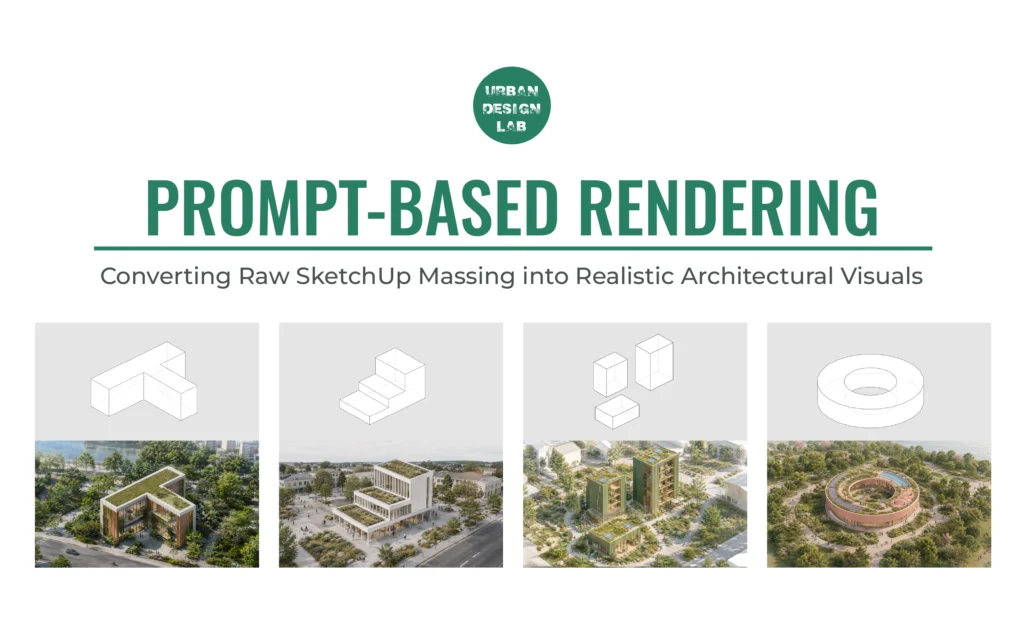
Prompt-Based Rendering: Converting Raw SketchUp Massing into Realistic Architectural Visuals

Prompt Based Rendering

Prompt Based Rendering is changing the way architects and designers approach visual communication. Architectural rendering is no longer limited to fully detailed 3D models, heavy post-production, or long visualization workflows. With prompt-based rendering, even a raw SketchUp massing model can be converted into a realistic architectural image, provided the prompt is written with clear technical control.

The goal is not just to make the image look beautiful. The goal is to preserve the original design intent, block placement, camera angle, proportions, and massing while adding realistic materials, facades, landscaping, people, and urban context.

This is especially useful during early-stage design, urban design studies, masterplans, and concept presentations where the model may still be simple, but the visual output needs to communicate atmosphere, scale, materiality, and public life.

What Is Prompt-Based Rendering?

Prompt-based rendering uses an existing image, such as a raw SketchUp view, and transforms it into a more realistic visualization through text instructions. Instead of manually modeling every facade detail, tree, paving element, person, or background, the prompt guides the AI to generate those elements while keeping the base image intact.


For architectural and urban design work, the most important part is control. A normal AI prompt may create a beautiful image, but it can also change the geometry, shift the buildings, alter the camera angle, or add elements that do not match the original design. That is why the prompt must clearly lock the geometry before asking for visual enhancement.

#Prompt1

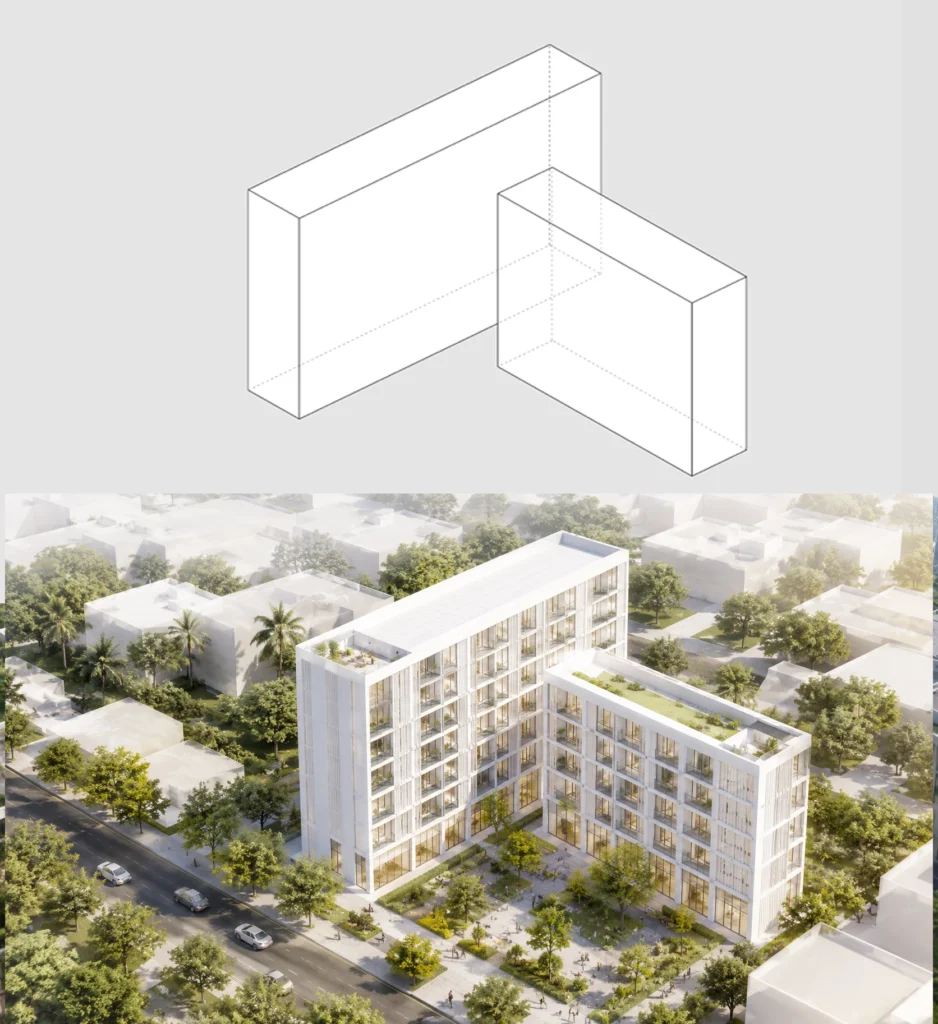
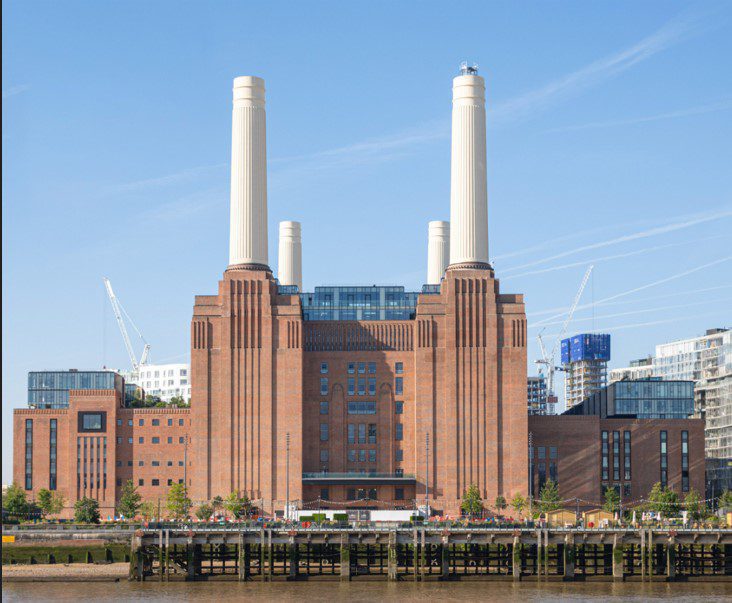
Transform the uploaded raw SketchUp massing image into a bright daylight, photorealistic architectural render using the uploaded reference images only as style references. Keep the original image exactly unchanged in geometry: same canvas size, aspect ratio, crop, camera angle, perspective, horizon, block placement, orientation, height, footprint, and proportions, so the final render overlays perfectly on the original. Only enhance the blocks into realistic buildings with refined facades, glazing, balconies, entrances, landscaping, trees, people, activities, vehicles, waterbody if suitable, and a realistic city background. Match the clean, soft, high-end render style of the references. Do not move, resize, rotate, distort, add, or remove any block. What Changed: Made it short, technical, and strict about overlay accuracy, geometry lock, bright daylight, and reference-style rendering.

Prompt Based Rendering

#Prompt2

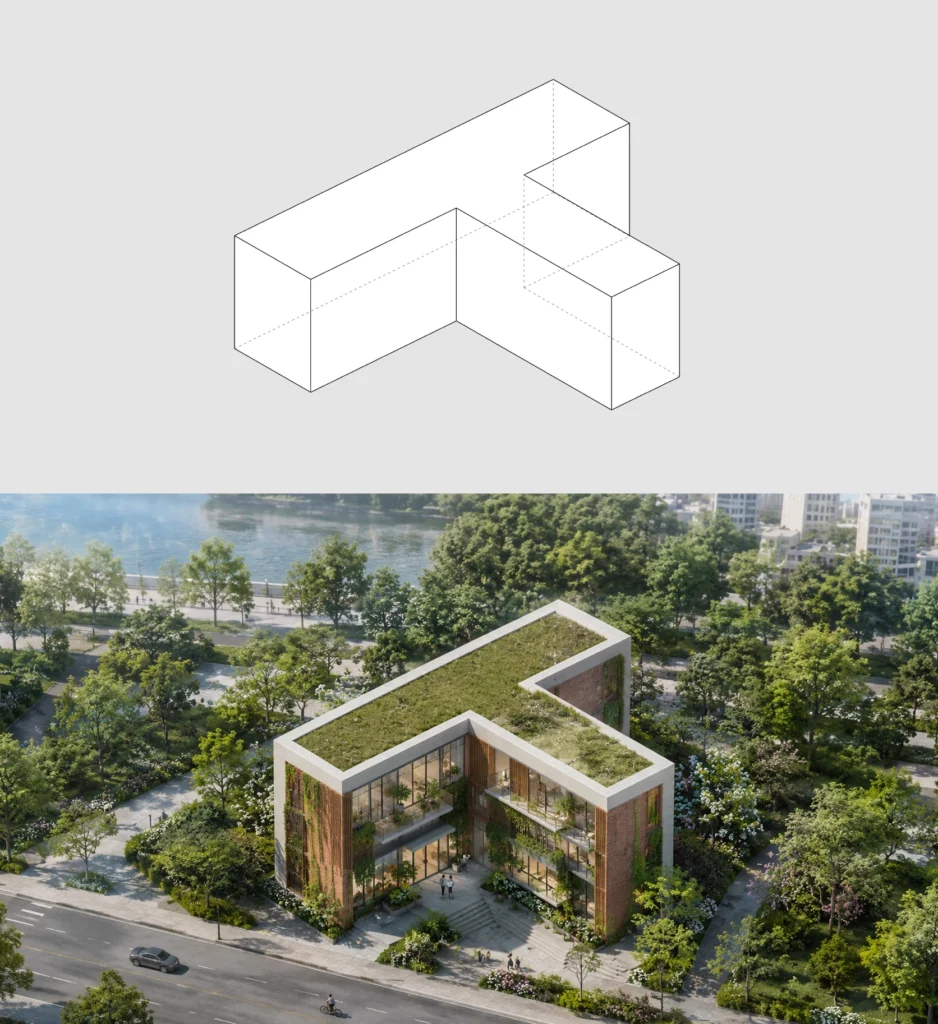
Transform the uploaded raw SketchUp massing image into a bright daylight, photorealistic architectural render using the uploaded reference images only as style references. Keep the original image exactly unchanged in geometry: same canvas size, aspect ratio, crop, camera angle, perspective, horizon, block placement, orientation, height, footprint, and proportions, so the final render overlays perfectly on the original. Only enhance the blocks into realistic buildings with refined facades using brick, whitish concrete, glass, and wood, along with glazing, balconies, entrances, lush landscaping, trees, shrubs, green covers, vertical greenery, creepers, and plants integrated on the building facades and balconies, people, activities, vehicles, waterbody if suitable, and a realistic city background. Match the clean, soft, high-end render style of the references. Do not move, resize, rotate, distort, add, or remove any block.

What Changed:
Added greenery, green covers, and facade planting/vertical landscape elements while keeping the prompt short, technical, and strict for perfect overlay accuracy.

Prompt-Based Rendering: Converting Raw SketchUp Massing into Realistic Architectural Visuals 2

#Prompt3

Transform the uploaded raw SketchUp massing image into a bright daylight, photorealistic architectural render using the uploaded reference images only as style references. Keep the original image exactly unchanged in geometry: same canvas size, aspect ratio, crop, camera angle, perspective, horizon, block placement, orientation, height, footprint, and proportions, so the final render overlays perfectly on the original. Only enhance the blocks into realistic buildings with refined facades using brick, whitish concrete, glass, and wood, along with glazing, balconies, entrances, lush landscaping, trees, shrubs, green covers, vertical greenery, creepers, and plants integrated on the building facades and balconies, people, activities, vehicles, waterbody if suitable, and a realistic city background. Match the clean, soft, high-end render style of the references. Do not move, resize, rotate, distort, add, or remove any block. What Changed: Added greenery, green covers, and facade planting/vertical landscape elements while keeping the prompt short, technical, and strict for perfect overlay accuracy.
Prompt-Based Rendering: Converting Raw SketchUp Massing into Realistic Architectural Visuals 4

#Prompt4

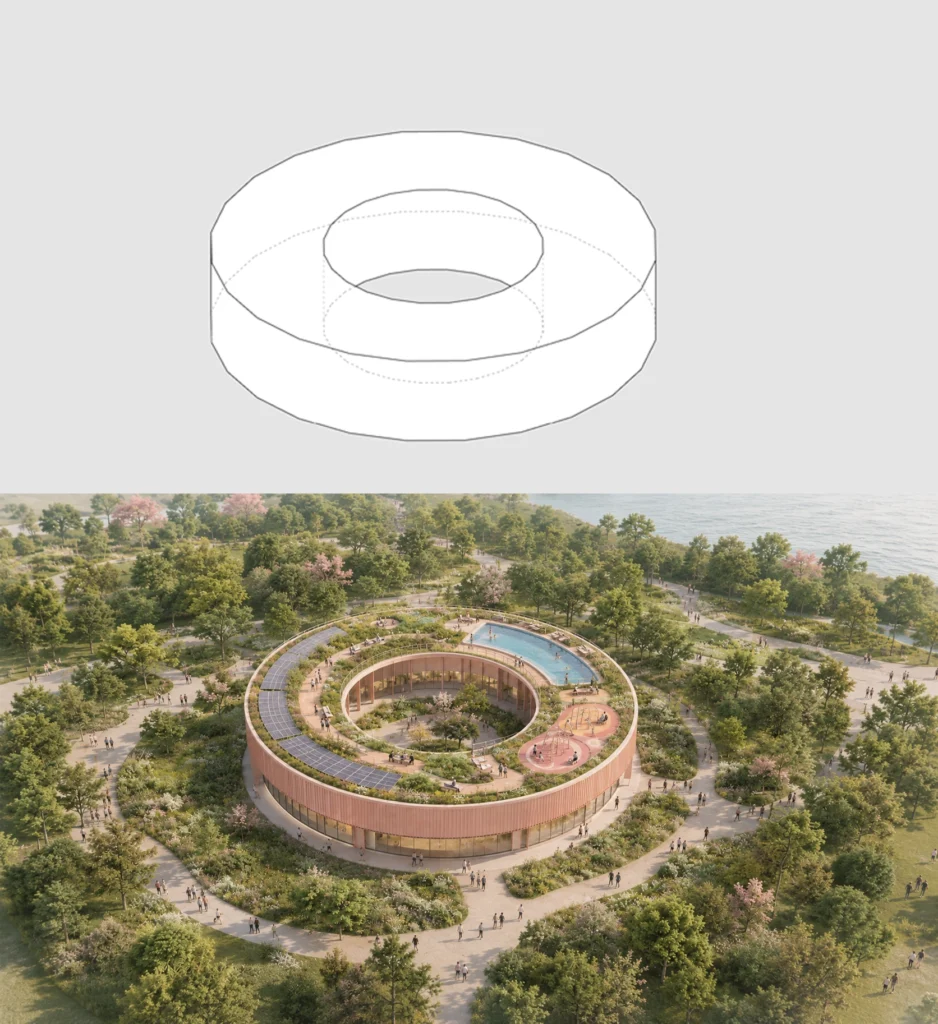
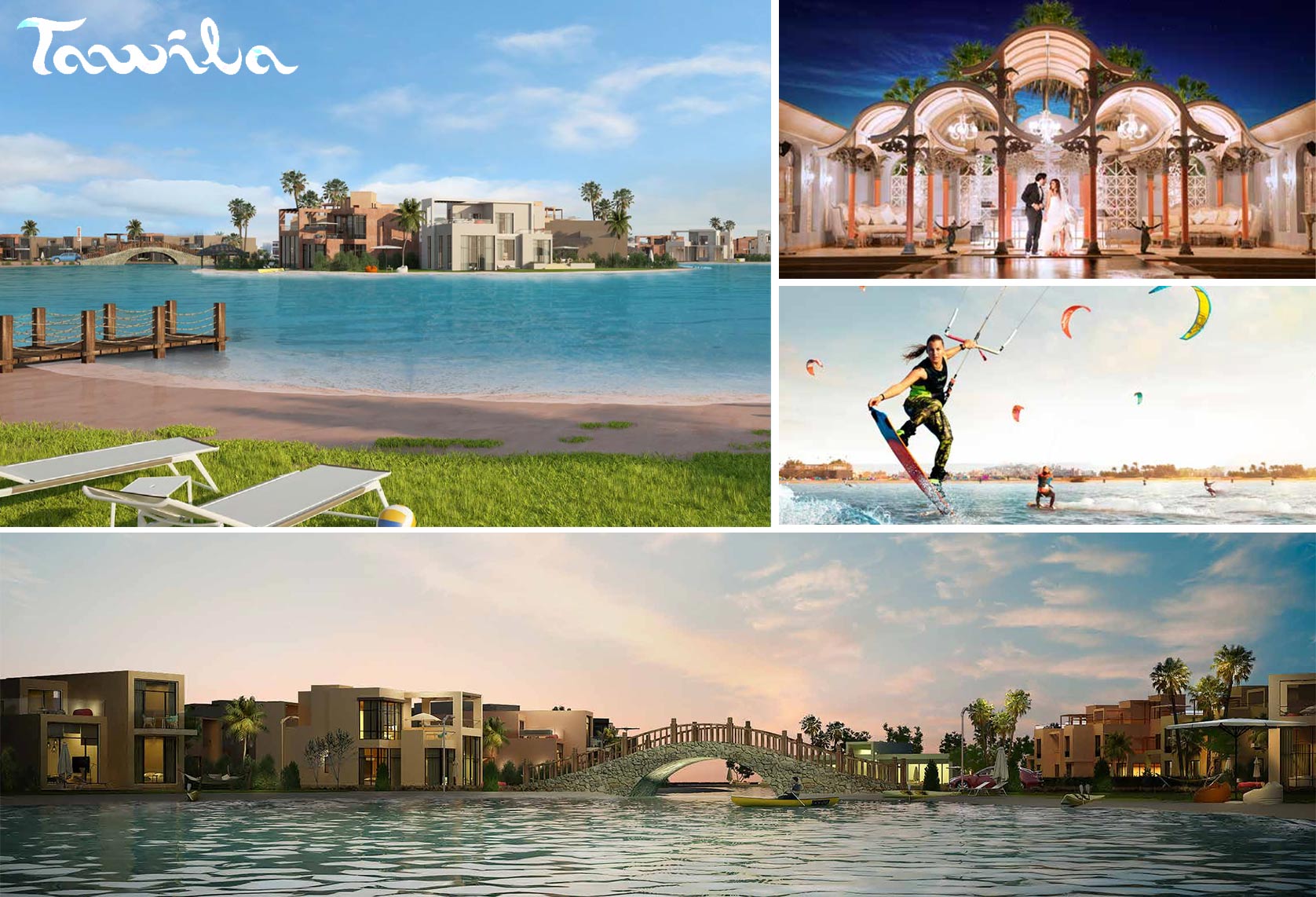
Convert the uploaded SketchUp massing image into a bright, soft, photorealistic architectural render. Keep the exact image size, crop, camera angle, perspective, geometry, massing, height, proportions, and block position for perfect overlay. Enhance only the existing form with pastel pink/terracotta architecture, glass, clean detailing, lush landscape, curved paths, trees, and people. Make the roof a green active roof with planted areas, walking zones, rooftop activities, humans, a pool, children’s play areas, seating, and neatly integrated solar panels. Maintain a calm, airy, high-end architectural visualization style. Do not change, move, resize, or distort any geometry.
Prompt-Based Rendering: Converting Raw SketchUp Massing into Realistic Architectural Visuals 6

#Prompt5

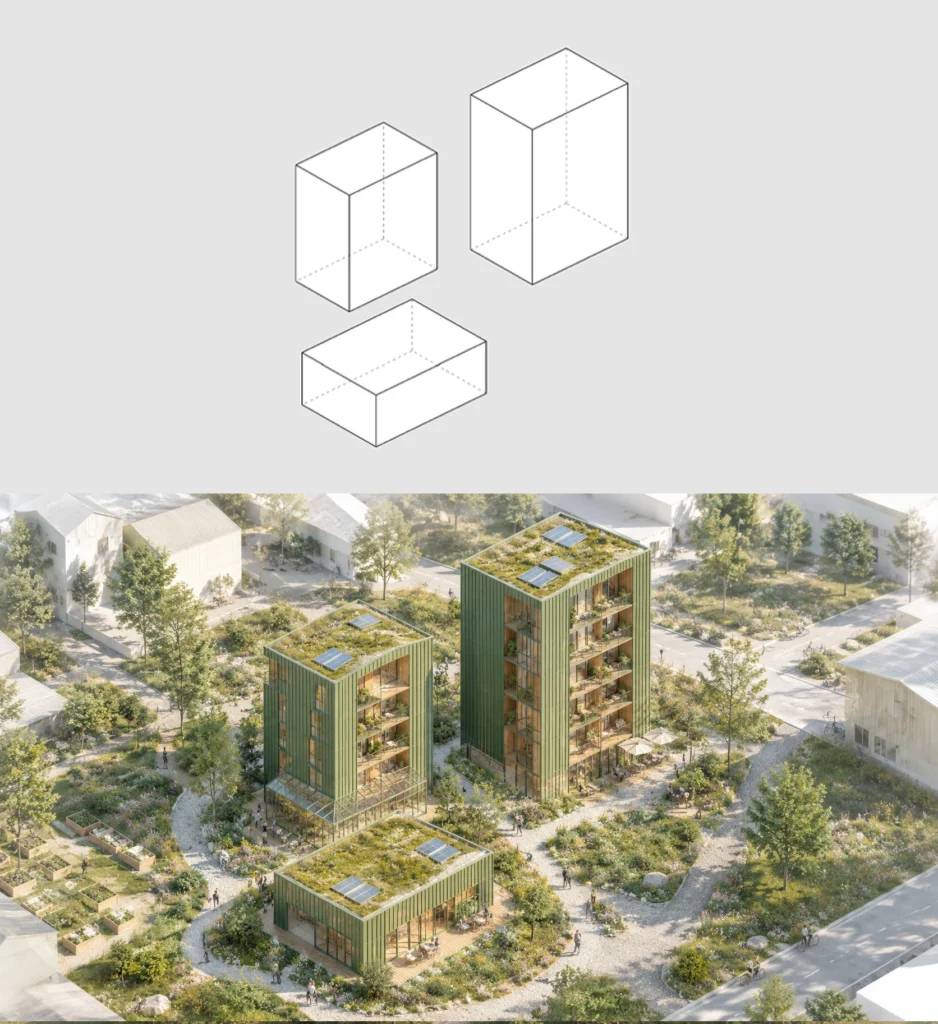
Transform the uploaded raw SketchUp massing image into a bright daylight, photorealistic architectural render in a soft Scandinavian eco-urban style. Keep the original image exactly unchanged: same canvas size, crop, aspect ratio, camera angle, perspective, horizon, block placement, orientation, height, footprint, massing, and proportions, so the final render overlays perfectly on the original. Only enhance the existing blocks into realistic architecture with green ribbed metal facades, warm timber, glass openings, balconies, greenhouse-like glass pavilions, light wooden buildings, rooftop greenery, plants on balconies, soft landscape, grasses, shrubs, trees, community gardens, outdoor seating, people, café activity, bicycles, pathways, and a calm realistic city/neighbourhood background. Use bright natural daylight, soft shadows, pale blue sky, fresh greenery, high-detail textures, and clean professional architectural visualization quality. Do not move, resize, rotate, distort, add, or remove any original block.

Prompt-Based Rendering: Converting Raw SketchUp Massing into Realistic Architectural Visuals 8

#Prompt6

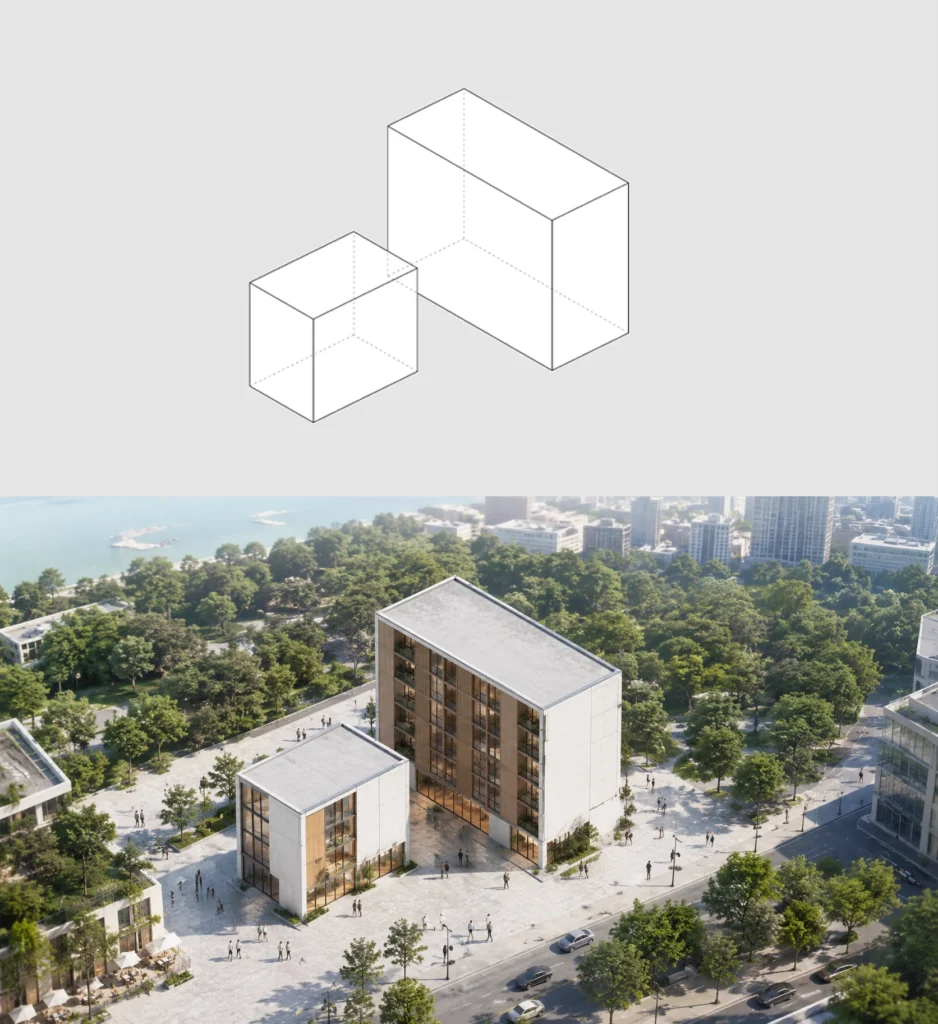
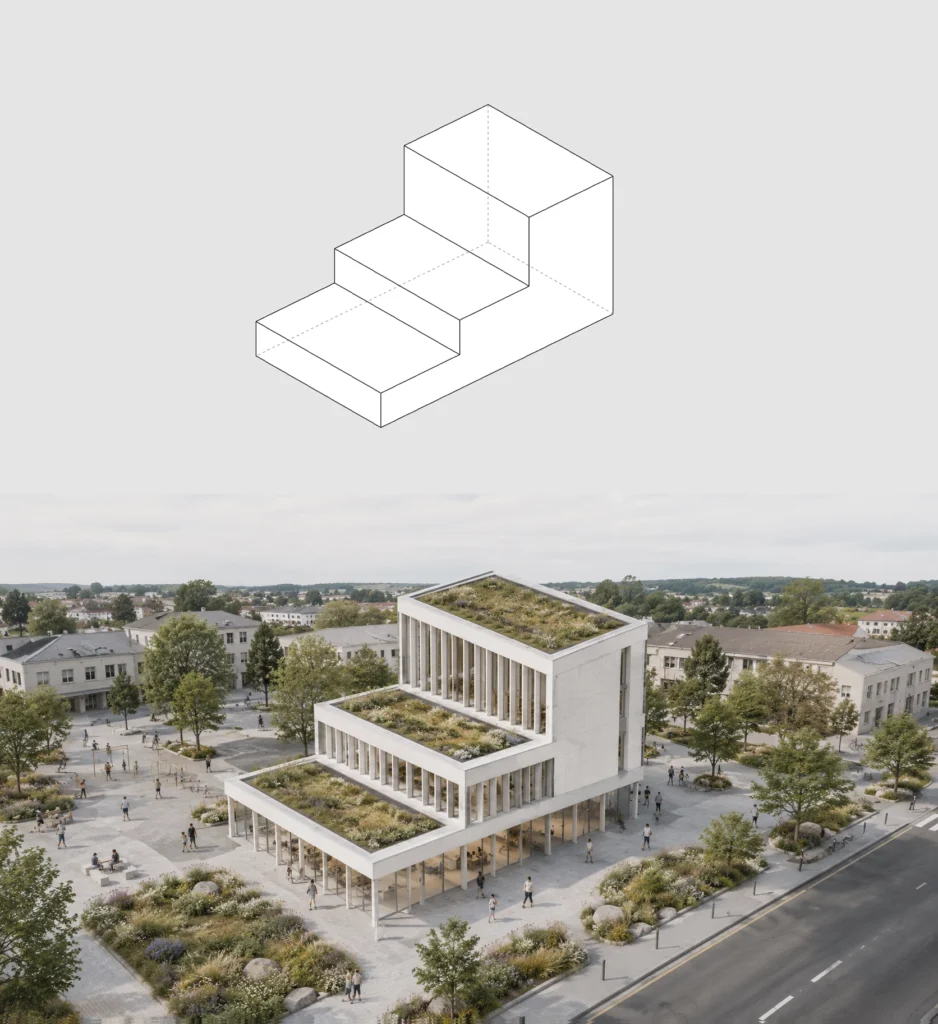
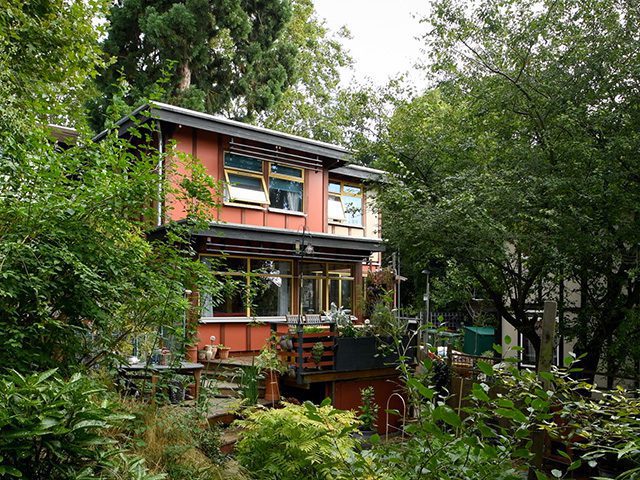
Transform the uploaded raw SketchUp massing image into a bright daylight, photorealistic architectural render in an eco-friendly urban infill housing style. Keep the original image exactly unchanged: same canvas size, crop, aspect ratio, camera angle, perspective, horizon, block placement, orientation, height, footprint, massing, and proportions, so the final render overlays perfectly on the original. Only enhance the existing blocks into realistic architecture with warm timber cladding, light wooden facade panels, yellow framed windows, glass railings, balconies, rooftop terrace, solar panel pergola, rooftop seating, plants on balconies, green edges, trees, shrubs, groundcover, small courtyard landscape, people, and surrounding white/neutral city massing. Use bright natural daylight, soft shadows, clean textures, realistic greenery, and high-end architectural visualization quality. Do not move, resize, rotate, distort, add, or remove any original block.

Prompt-Based Rendering: Converting Raw SketchUp Massing into Realistic Architectural Visuals 10

Leave a Reply

Your email address will not be published. Required fields are marked *

This site uses Akismet to reduce spam. Learn how your comment data is processed.

Related articles

UDL Thesis Publication 2025

Call for Abstracts now open!

UDL GIS

MASTERCLASS

GIS Made Easy – Learn to Map, Analyse, and Transform Urban Futures

Session Dates

6th-10th July, 2026

Curating the best graduate thesis projects globally!

Learn to Design Portfolios, Publications,
and Presentation Boards

Free E-Book

From thesis to Portfolio

A Guide to Convert Academic Work into a Professional Portfolio”

Urban Design Lab

Be the part of our Network

  • Stay updated on workshops, design tools, and calls for collaboration

  • Thesis Report Writing for Architecture and Urban Studies

    Join Our WhatsApp Group

    Sign up for our Newsletter

    “Let’s explore the new avenues of Urban environment together “

    E-Book- From Thesis To Portfolio

    A Guide to Convert Academic Work into a Professional Portfolio